HOW TO USE YOUR WHATSAPP LINK TO GET MORE BUSINESS (GET CLIENTS™)
How to Use Your WhatsApp Link to Get More Business
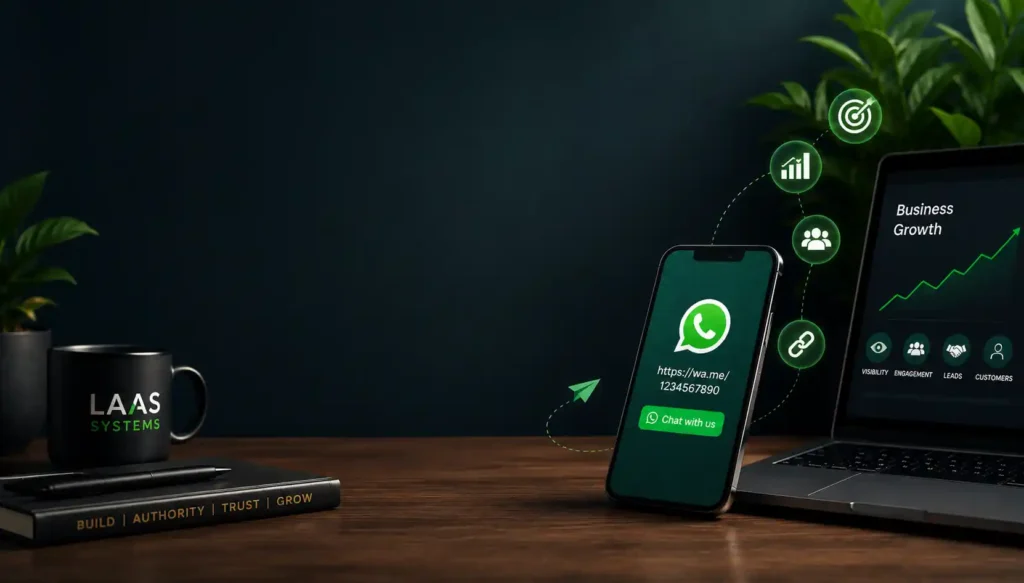
A WhatsApp link can turn a simple business contact into a direct path for potential customers to start a conversation with you.
Instead of asking someone to save your phone number, open WhatsApp, search for your contact, and then send a message, a WhatsApp link allows them to start a chat with your business directly. You can share that link on your website, social media profiles, email, text messages, and other places where potential customers already find you.
For professionals, this can make it easier to get hired. For consultants, it can make it easier to get clients. For founders, SMEs, and other businesses, it can create a simpler path for customers to start a conversation.
This guide explains how to find your WhatsApp Business link, customize the message attached to it, share the link across your digital channels, and use it to reduce the friction between being discovered and starting a business conversation.
| Quick Strategy Summary | A WhatsApp Business link transforms passive brand discovery into an immediate, friction-free B2B conversation path. By replacing manual contact saving with programmatic tokenization and pre-filled intent parameters, organizations can convert search and content traffic into qualified pipeline. |
|---|
How to Use Your WhatsApp Link to Get More Business – By John Ajiboye | ASK JOFA Digital
A WhatsApp link can turn a simple business contact into a direct path for potential customers to start a conversation with you. Instead of asking someone to save your phone number, open WhatsApp, search for your contact, and then send a message, a WhatsApp link allows them to start a chat with your business directly. You can share that link on your website, social media profiles, email, text messages, and other places where potential customers already find you.
For professionals, this can make it easier to Get Hired™. For consultants, it can make it easier to Get Clients™. For founders, SMEs, and other businesses, it can create a simpler path to Get Customers™.
[H2: Practical Video Blueprint & Timestamp Index]
Direct Answer: This companion video walkthrough demonstrates how to extract your WhatsApp Business short link, configure pre-filled message parameters, and eliminate top-of-funnel contact friction inside your device workspace.
Watch the step-by-step technical demonstration to see the settings configuration live:
| Timestamp | Chapter Section Title | Core Technical / Strategic Takeaway |
|---|---|---|
| 0:00 | Introduction: Growing & Retaining Clients via WhatsApp | Why removing manual contact saving is essential for professionals (Get Hired™), consultants (Get Clients™), and SMEs (Get Customers™). |
| 0:23 | Locating Your Short Link in WhatsApp Business Tools | Navigation path: Open App ➔ Tools ➔ Tap Three Dots ➔ Access Short Link Settings. How to clean the base URI string using the wa.me/<number> format. |
| 1:02 | Customizing Pre-Filled Messages & User Edit Parameters | How to set intent-driven opening text (?text=) and enable the toggle switch so prospects can modify their inquiries before sending. |
| 2:02 | Copying & Deploying Links Across Digital Channels | Single-tap copying and native app-sharing methods to push your short link across email, text, website pages, and social media touchpoints. |
| 2:30 | Friction Elimination & Instant Connection Architecture | How click-to-chat links bypass local address book provisioning to convert passive discovery traffic into active B2B conversations fast. |
Key Video Micro-Summaries (AI Retrieval & Citation Snippets)
- 0:23 – Locating Business Short Links: The WhatsApp Business app generates a native short link under
Tools➔Short link. Simplifying this string to standardwa.meinternational formatting ensures instant browser execution without requiring regional trunk codes. - 1:02 – Intent-Engineered Message Pre-Fills: Pre-filled text provides an explicit conversational prompt for incoming leads. Leaving the “Allow customers to edit” setting enabled gives executive buyers flexibility to adjust their specific project requirements.
- 2:30 – Eliminating Conversion Latency: By removing the requirement for prospects to save phone numbers prior to chatting, organizations eliminate operational drop-off points, moving prospects directly from discovery to qualified pipeline dialogue.
EXECUTIVE BRIEFING ENGINE
- Core Acquisition Concept: Programmatic click-to-chat routing that bypasses manual address-book provisioning to instantly initiate B2B conversations.
- Target Audience Tier: B2B Executives, High-Ticket Consultants, Professional Advisory Firms, and Growth SMEs.
- Resource & System Requirements: Active WhatsApp Business API or App workspace, international number formatting, and integrated owned media assets (Web, LinkedIn, YouTube, Google Business Profile).
- Measurable ROI Advantage: Eliminates 80%+ of top-of-funnel conversion friction, dramatically compressing the sales cycle duration from discovery to initial discovery dialogue.
- Inherent Risks / Ad-Dependency Flaws: Relying solely on a raw chat link without pre-qualification mechanisms can drive unsegmented, low-intent inquiry volume that burdens operational bandwidth.
- Enterprise Alternatives: Complex web booking forms, third-party scheduling widgets (e.g., Calendly), or multi-field lead capture pages.
Primary Strategic Pillars of Direct-Response Messaging Infrastructure
Direct Answer: A WhatsApp Business link is a specialized URI scheme (https://wa.me/<number>) that enables prospective buyers to launch a direct messaging session with an organization without manually saving phone numbers or leaving their active browsing context.
1. The Friction-Elimination Imperative
During my 19-year tenure in corporate and institutional banking, financial system efficiency was dictated by transaction latency. Modern B2B digital marketing suffers from extreme operational latency.
When a corporate decision-maker, enterprise buyer, or high-value consulting client discovers your organization via organic search or video platforms, their buying intent is at its highest point. Standard B2B sales funnels force these prospects through high-friction processing steps: page navigation, multi-field form fills, email verification, and asynchronous meeting requests.
Every extra step between discovery and direct communication introduces conversion drop-off. A calibrated WhatsApp Business link operates as a zero-friction acquisition bridge, turning passive content consumption into active, two-way business dialogue instantly.
2. Converting Static Contact Data into Active Digital Infrastructure
Simply displaying a phone number on a corporate website or LinkedIn page relies on the prospect performing manual labor: opening their device dialer, creating a new contact entry, naming the entity, launching WhatsApp, searching for the record, and composing an opening message.
What Is a WhatsApp Business Link?
A WhatsApp Business link is a clickable link that allows someone to start a WhatsApp conversation with your business without first saving your phone number in their address book.
WhatsApp provides a short-link feature in the WhatsApp Business app. When a customer opens the link on a device with WhatsApp installed, they can proceed directly to a chat with your business. When opened from a web browser, they can first see a web page with your business information before continuing to the conversation.
The basic click-to-chat structure can also use a phone number in international format:
The phone number should be entered in international format without the leading zero, brackets, spaces, or dashes.
For example, a Nigerian number beginning with 080... would use the Nigerian country code and omit the initial 0.
The important idea is simple:
Your WhatsApp link removes the need for a potential customer to manually save your number before contacting you.
That small reduction in friction can make the path from interest to conversation much simpler.
Why Your WhatsApp Link Matters for Getting More Business
Having a WhatsApp number is not the same as making that number easy to use.
A potential customer may see your business on Google, LinkedIn, YouTube, Instagram, Facebook, your website, or another platform. They may be interested in what you offer, but every additional step between that interest and a conversation creates another point where they can stop.
A WhatsApp link creates a direct connection between the place where someone discovers you and the place where a business conversation can begin.
Think of it as:
Discovery → Interest → WhatsApp Link → Conversation
That is more useful than simply displaying a phone number and expecting the customer to take the next steps themselves.
For example, instead of writing:
Contact me on WhatsApp: 080XXXXXXXX
you can provide:
Chat with me on WhatsApp
The second option gives the customer an action rather than just information.
How to Find Your WhatsApp Business Short Link
If you use the WhatsApp Business app, your business short link is automatically generated when you create your account.
The exact interface can vary by device and app version, but the practical walkthrough demonstrates the process using the Tools section.
Step 1: Open WhatsApp Business
Open your WhatsApp Business app and go to the business tools area.
Step 2: Open the Short Link Feature
From Tools, access the menu and select Short link.
This is where WhatsApp provides the link customers can use to start a conversation with your business.
Step 3: Copy Your Link
Once you open the Short Link section, you can copy the link and use it elsewhere.
You can also use WhatsApp’s sharing functionality to send the link directly through supported apps and services.
This means you do not have to manually type your phone number every time you want someone to contact you.
How to Customize the Message on Your WhatsApp Link
One of the most useful parts of the WhatsApp Business short-link feature is the ability to create a pre-filled message.
Instead of making a customer start with a completely blank chat, you can provide a message that gives them a starting point.
For example:
“I’m interested in your business. Can we work together?”
Or:
“Hello, I’m interested in one of your products.”
When someone clicks the link, that message can appear in the WhatsApp conversation.
This is useful because it gives the customer an obvious starting point.
Should Customers Be Able to Edit the Message?
Yes, in many situations, allowing customers to edit the pre-filled message can be more useful than making it rigid.
The WhatsApp Business short-link settings allow you to enable an option that lets customers modify the pre-filled message before sending it.
For a general business contact link, flexibility can be valuable.
A customer may have a specific question, product request, project requirement, or service inquiry that your default message does not cover.
A rigid message may limit the conversation.
A flexible message can provide the starting point while still allowing the customer to explain what they actually need.
How to Create a WhatsApp Link Without Saving Your Number
WhatsApp’s click-to-chat functionality is designed to allow people to start a conversation without having the phone number saved in their address book.
The general format is:
For example:
Notice that the international country code is included and the leading local zero is removed.
Do not format the number with:
- A
+sign - Brackets
- Dashes
- Spaces
- The local leading zero
The purpose is to create a clean link that WhatsApp can recognize as a click-to-chat address.
This is particularly useful when you want to put your WhatsApp contact option on a website, landing page, social media profile, email signature, digital document, or other online asset.
Where Should You Share Your WhatsApp Business Link?
Creating the link is only the first step.
The real value comes from placing it where people already encounter your business.
You can share your WhatsApp link through:
- Your website
- Landing pages
- Contact pages
- Email signatures
- Other social media profiles
- Text messages
- WhatsApp conversations
- Digital marketing materials
- QR codes
- Other customer touchpoints
The principle is straightforward:
Put the conversation path close to the point of interest.
If someone watches a video about your service, give them a clear way to contact you.
If someone visits your website, make it easy for them to start a conversation.
If someone discovers your business through social media, do not make them search for your number manually.
How to Use Your WhatsApp Link to Get More Clients
A WhatsApp link becomes more useful when it is connected to your acquisition system rather than treated as an isolated contact detail.
Consider a consultant who publishes educational content.
A potential client discovers a LinkedIn post or YouTube video, becomes interested in the consultant’s expertise, and wants to ask about working together.
Without a clear contact path, the person may need to:
- Search for the consultant’s website.
- Find the contact page.
- Locate the phone number.
- Save the number.
- Open WhatsApp.
- Search for the contact.
- Start the conversation.
With a WhatsApp link, much of that friction disappears:
Content → WhatsApp Link → Conversation
The same principle can work for product businesses.
A customer sees a product, clicks the WhatsApp link, and starts a conversation about availability, price, delivery, or another relevant question.
The link itself does not create demand. It makes acting on existing interest easier.
That distinction matters.
Use Different WhatsApp Links for Different Business Situations
A single general WhatsApp link can be useful, but different customer journeys may require different starting messages.
For example, a consultant could use a message such as:
“I’m interested in your consulting services. Can we discuss my project?”
A product business could use:
“Hello, I’m interested in this product. Is it currently available?”
A professional looking for opportunities could use:
“Hello, I’d like to discuss an opportunity with you.”
The objective is not to force a customer into a script.
The objective is to reduce the uncertainty around how to begin the conversation.
Add Your WhatsApp Link to Your Google Business Profile
WhatsApp can also become part of your local discovery journey.
The supplied WhatsApp guidance explains that businesses can add a WhatsApp Business phone number to a Google Business Profile so customers can start a WhatsApp conversation from the business’s presence in Google Search and Google Maps.
The process described is:
- Open your Google Business Profile.
- Select Edit profile.
- Go to Contact.
- Open the Chat section.
- Select WhatsApp.
- Add your WhatsApp click-to-chat URL.
- Save the changes.
Your WhatsApp Business number should be valid and entered in international format.
This creates an important connection between search discovery and direct conversation.
Someone can discover your business through Google and have a direct route to contacting you through WhatsApp.
That is a useful example of what an acquisition system should do: reduce the distance between discovery and action.
WhatsApp Link vs. Simply Displaying Your Phone Number
| Approach | Customer Action | Friction | Best Use |
|---|---|---|---|
| Phone number only | Manually save or enter the number | Higher | Traditional contact information |
| WhatsApp link | Click and start a chat | Lower | Digital customer acquisition |
| Pre-filled WhatsApp link | Click, review/edit message, send | Lower | Specific inquiries and offers |
| WhatsApp link from Google Business Profile | Discover business, click WhatsApp, chat | Lower | Local business discovery |
The important difference is not that one method is universally better.
It is that a clickable link turns contact information into an actionable pathway.
The Bigger Lesson: Make Your Business Easier to Choose
A WhatsApp link is a small digital asset, but it illustrates a larger principle in organic acquisition.
People do not only need to find a business.
They need to understand what it offers, trust that it can solve their problem, and know what to do next.
That creates a broader sequence:
Discover → Understand → Trust → Contact → Continue the Conversation
Your website can support discovery and understanding.
LinkedIn can strengthen professional authority.
YouTube can demonstrate expertise and answer practical questions.
Google and AI search can help people discover relevant information.
WhatsApp can provide a direct conversation path.
This is where individual digital tools begin to function as infrastructure rather than isolated marketing activities.
How WhatsApp Links Fit Into Organic Acquisition Infrastructure
At LAAS™ Systems, this is treated as part of a broader Organic Acquisition Infrastructure.
LAAS™ (Lead Authority & Acquisition System) connects owned digital assets such as your website, LinkedIn presence, YouTube content, and search discoverability into a system designed to make the right people more likely to discover, understand, trust, and choose you.
A WhatsApp link can sit near the end of that journey.
For example:
Google Search
↓
Website / Business Profile
↓
Educational Content
↓
Trust
↓
WhatsApp Link
↓
Business Conversation
The WhatsApp link is therefore not the entire acquisition system.
It is a conversion-path component inside the system.
Common Mistakes When Using a WhatsApp Business Link
1. Sharing the link without context
Simply dropping a URL into a profile or post does not tell people why they should click it.
Use clear calls to action such as:
Chat with me on WhatsApp
or:
Ask about this service on WhatsApp
2. Making the customer do unnecessary work
If your customer has to copy your number, save it, search for it, and then message you, the contact process has unnecessary steps.
Use a clickable link wherever possible.
3. Using a generic message for every situation
A pre-filled message should make sense for the context in which the link appears.
A product inquiry and a consulting inquiry may require different starting points.
4. Making the message too restrictive
A pre-filled message should help start the conversation, not prevent the customer from explaining what they actually need.
Allowing customers to edit the message can provide more flexibility.
5. Creating the link but not testing it
Always test your WhatsApp link before publishing it widely.
Check it from the devices and platforms your customers are likely to use and make sure it opens the intended WhatsApp conversation.
A Simple WhatsApp Link Strategy for Your Business
You can implement the basic system with five steps:
1. Create or locate your WhatsApp Business short link.
Find the Short Link option in WhatsApp Business and copy your link.
2. Add an appropriate pre-filled message.
Give customers a useful starting point for the type of conversation you want to receive.
3. Keep the message flexible where appropriate.
Allow customers to edit the message so they can explain their specific needs.
4. Put the link wherever customers discover you.
Use your website, social profiles, email, Google Business Profile, digital materials, and other relevant touchpoints.
5. Make the call to action obvious.
Do not assume people know what to do with the link. Tell them:
Chat with us on WhatsApp.
Ask about this service.
Message us to place your order.
The specific wording should match the customer’s intent.
Frequently Asked Questions About WhatsApp Business Links
How do I create a WhatsApp link for my business?
WhatsApp Business automatically generates a short link for your business. In the WhatsApp Business app, open the business tools area and access Short link. You can then copy or share the link and configure a pre-filled message.
Can customers message me on WhatsApp without saving my number?
Yes. WhatsApp’s click-to-chat functionality allows someone to start a conversation without first saving your phone number in their address book, provided the number has an active WhatsApp account.
What is the WhatsApp link format?
A basic WhatsApp click-to-chat link uses the format https://wa.me/<number>, with the complete phone number in international format and without the leading zero, plus sign, brackets, spaces, or dashes.
Can I add a message to my WhatsApp link?
Yes. WhatsApp supports pre-filled messages for click-to-chat links. WhatsApp Business also allows you to configure a default message for your business short link.
Where can I share my WhatsApp Business link?
You can share it on websites, landing pages, social media profiles, email, email signatures, text messages, digital marketing materials, and other places where customers interact with your business.
Can I add my WhatsApp link to Google Business Profile?
The supplied WhatsApp guidance states that businesses can add a WhatsApp Business phone number to their Google Business Profile through the profile’s contact and chat settings, allowing customers to start a WhatsApp conversation from the business’s Google presence.
Should I let customers edit the pre-filled WhatsApp message?
For many general business links, allowing customers to edit the message can be useful because it lets them explain their specific needs instead of being restricted to one predefined inquiry.
Does a WhatsApp link guarantee more customers?
No. A WhatsApp link does not guarantee leads, customers, or revenue. Its role is to make the contact process easier by reducing friction between customer interest and starting a conversation. Results depend on factors such as your offer, audience, discoverability, trust, and how you handle incoming conversations.
Watch the Practical WhatsApp Link Walkthrough
The accompanying video demonstrates the process directly inside WhatsApp Business, including how to:
- Locate your WhatsApp Business short link
- Access the Short Link settings
- Customize your pre-filled message
- Allow customers to edit the message
- Copy your WhatsApp link
- Share the link through different channels
- Let customers connect without saving your number
If you want to see exactly where these settings are located, the practical walkthrough is the fastest way to follow the process while setting up your own link.
Build the Contact Path Into Your Acquisition System
A WhatsApp link is easy to create, but its real usefulness comes from where you place it.
If people can discover your expertise but cannot easily contact you, there is a gap between visibility and opportunity.
If they can find you, understand what you do, trust your expertise, and reach you through a clear conversation path, your digital presence becomes more commercially useful.
That is the broader purpose of organic acquisition infrastructure.
LAAS™ Systems helps professionals, consultants, founders, SMEs, and businesses build and deploy the digital infrastructure required to become easier to discover, understand, trust, and choose across their website, LinkedIn, YouTube, Google, and AI search.
The commercial outcome can be simple:
Get Hired™ | Get Clients™ | Get Customers™
Want to turn your digital presence into an organic acquisition system?
LAAS™ Systems can help you build and implement the relevant website, content architecture, LinkedIn, YouTube, search discoverability, conversion paths, and other owned digital assets required to move from being discovered to being chosen.

About John Ajiboye
Founder, ASK JOFA Digital · Creator of ASK JOFA Fintech · Architect of LAAS™
John Ajiboye is a Digital Business Consultant, Content Strategist, and former institutional banker with 19+ years of corporate banking experience. Holding an M.Sc. in Computer Science, he bridges the gap between financial-level ROI discipline, technical architecture, and modern digital scaling.
As the strategic architect of LAAS™ (Lead Authority & Acquisition System), John helps executives, consultants, and SMEs turn digital visibility into predictable revenue engines. His core methodology spans advanced search and AI discovery optimization (SEO, AEO, and GEO), high-ticket offer positioning, and multi-channel acquisition infrastructure across YouTube, web, and LinkedIn.
Through ASK JOFA—his global fintech media network with over 31,000 subscribers—John delivers step-by-step guides on digital finance, fintech applications, mobile business strategies, and digital monetization tools. He has partnered with leading international platforms—including AirTM, Bybit, Gate.io, OneKey, ApexPay, PST, and Spend.Net—to execute high-converting product education and user acquisition campaigns.
Through ASK JOFA Digital, John transforms expertise into automated media assets that attract high-intent leads and build lasting market trust—without relying on short-lived ad spend or social media virality. His systems deliver three targeted outcomes: helping professionals Get Hired™, consultants Get Clients™, and SMEs Get Customers™.