How to Connect WhatsApp Business to Facebook Page to Get Customers
Turn Your Facebook Audience Into WhatsApp Conversations, Clients & Customers
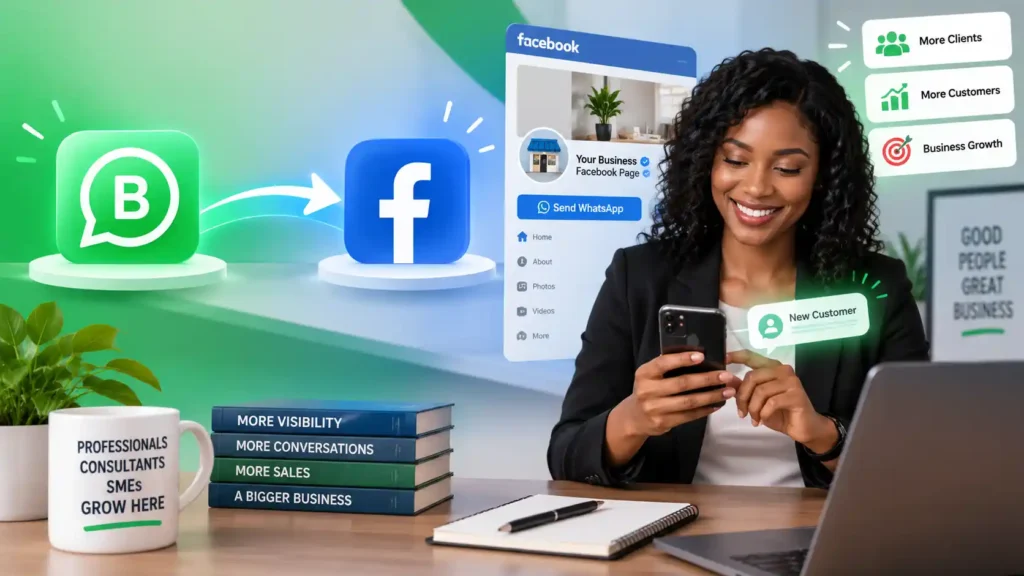
If people are already visiting your Facebook Page, you should make it easy for them to move from seeing your business to starting a conversation with you.
Connecting your WhatsApp Business account to your Facebook Page creates that bridge.
Instead of asking a potential customer to copy a phone number, search for your business on WhatsApp, save the number and start a conversation, the connection can give visitors a direct WhatsApp contact option from your Facebook presence.
That matters because Facebook can create attention, while WhatsApp can become the environment where the actual business conversation happens.
For a professional, that conversation can become a hiring opportunity.
For a consultant, it can become a client conversation.
For an SME, it can become a sales enquiry, booking, order or customer relationship.
This article shows how to connect WhatsApp Business to a Facebook Page step by step, based on the practical process demonstrated in the accompanying ASK JOFA Digital video, and then goes further into what you should do after the connection is complete.
Important: Meta can change the names and locations of settings as its apps evolve. The current WhatsApp Business Help Center documents linking a Facebook Page directly from the WhatsApp Business app, while the accompanying video demonstrates the Facebook-side mobile workflow. Use the path available in your current app version.
How to connect WhatsApp Business to Facebook Page (step by step)
Video: How to connect WhatsApp Business to Facebook Page step by step ▪ GET CUSTOMERS
What Does Connecting WhatsApp Business to a Facebook Page Actually Do?
Connecting the two accounts links your business presence on Facebook with your business communication channel on WhatsApp.
According to WhatsApp’s current Help Center, linking a WhatsApp Business account to a Facebook Page allows customers visiting the Page to message the business directly on WhatsApp with a click. WhatsApp also provides the option to display a contact button on the Facebook Page.
The strategic significance is bigger than simply adding another button.
Think of the journey this way:
Facebook attention → Facebook Page → WhatsApp conversation → qualification → offer → transaction → follow-up
The Facebook Page is therefore not necessarily the final destination.
It can become an entry point into a more direct business relationship.
That distinction is important.
A Facebook visitor may:
- see your Page
- read your description
- look at your posts
- examine your offer
- become interested
- click the WhatsApp contact option
- ask a question
- request a quotation
- enquire about your service
- make an appointment
- place an order
- discuss a potential project
- or continue the relationship after the first conversation
The connection removes unnecessary friction between interest and conversation.
Who Should Connect WhatsApp Business to a Facebook Page?
This setup is useful across several types of professionals and businesses.
Professionals Who Want to Get Hired
A professional may use Facebook to demonstrate expertise, experience, projects, services or knowledge.
But visibility alone does not create a hiring conversation.
A WhatsApp connection gives an interested person a more direct way to ask:
- Are you available?
- Can you work on this project?
- Can I speak with you?
- What services do you provide?
- Can you send your portfolio?
- How can I engage you?
For professionals, the objective is not simply to collect messages.
It is to make it easier for the right opportunity to reach you.
Consultants Who Want to Get Clients
Consultants often need conversations before a commercial engagement can begin.
A prospective client may need clarification about:
- the problem you solve
- whether you work with businesses like theirs
- your process
- availability
- scope
- pricing
- implementation
- next steps
Facebook can introduce the consultant.
WhatsApp can facilitate the conversation.
The consultant still needs a proper qualification and conversion process, but connecting the two platforms reduces the distance between discovery and enquiry.
SMEs That Want to Get Customers
For SMEs, the opportunity is even more direct.
A Facebook visitor may already have a buying question:
“How much is this?”
“Is this available?”
“Where are you located?”
“Can I order?”
“Do you deliver?”
“Can I book?”
“How do I pay?”
A WhatsApp connection can make the next step obvious.
Instead of forcing the customer to search for another contact channel, you can move the conversation into WhatsApp.
That is particularly useful for businesses where buying decisions naturally involve conversation.
What You Need Before Connecting WhatsApp Business to Facebook
Before starting, make sure the basic requirements are in place.
You should have:
- A Facebook Page for your business.
- A WhatsApp Business account.
- Access to the Facebook account that manages the Page.
- The phone number associated with your WhatsApp Business account.
- Updated versions of the relevant mobile applications.
WhatsApp currently states that you must be an admin of the Facebook Page you want to connect. If the Page is connected to Meta Business Manager, additional business-admin permissions may be required.
There is also an important account relationship to understand:
One Facebook Page cannot simply be connected to multiple WhatsApp Business accounts at the same time.
WhatsApp’s current troubleshooting guidance states that a Page can be linked to only one WhatsApp Business account at a time, and the WhatsApp Business account cannot already be linked to another Facebook Page.
How to Connect WhatsApp Business to Facebook Page Step by Step
There are slightly different interface paths depending on the app version and where you initiate the connection.
The current WhatsApp Business Help Center provides the following route from the WhatsApp Business app.
Step 1: Open WhatsApp Business
Open the WhatsApp Business application on your Android or iOS device.
Make sure you are using the WhatsApp Business account containing the phone number you want associated with the Facebook Page.
This is important because the connection is being established between your business WhatsApp account and your Facebook Page.
Step 2: Open the Tools Section
From WhatsApp Business, go to the Tools section.
Look for:
Facebook & Instagram
WhatsApp’s current instructions identify this as the starting point for connecting your Facebook Page from within the WhatsApp Business app.
If you do not see the option immediately, update the WhatsApp Business application and check again.
Step 3: Select Facebook
Tap:
Facebook → Continue
WhatsApp will open the Facebook login process.
You may be asked to authenticate using the Facebook account that manages your Page.
This is where having the correct Facebook permissions becomes important.
If you log into a Facebook account that does not have the necessary access to the Page, you may not see the Page you intend to connect.
Step 4: Log Into Facebook
Enter your Facebook login details and continue.
Once Facebook confirms your account, you should be able to select the Facebook Page you want to connect.
If you manage several Pages, pay attention here.
Select the correct business Page.
Connecting the wrong Page can create confusion later, particularly if you intend to use the linked Page for advertising or customer acquisition.
Step 5: Select the Facebook Page
Choose the Facebook Page that represents your business, professional practice, consultancy or organization.
Then select:
Connect WhatsApp
WhatsApp’s current instructions state that if you do not already have a Facebook Page, the flow may also give you the option to create one.
Step 6: Complete the Connection
After the connection is completed, WhatsApp says a WhatsApp button will appear on your Facebook Page.
When you return to WhatsApp Business, the linked Facebook Page should also appear in the Facebook & Instagram section.
At this point, the basic technical connection is complete.
But this is where many businesses stop too early.
Connecting the accounts is not the same thing as building a customer acquisition system.
The connection is infrastructure.
You still need to give people a reason to use it.
The Facebook-Side Process Shown in the Video
The accompanying ASK JOFA Digital video demonstrates the connection from the Facebook mobile application.
The walkthrough shows the following general sequence:
Facebook app → Profile picture → Settings → WhatsApp → enter WhatsApp number → request confirmation code → enter code → continue → complete connection
The video demonstrates entering the WhatsApp number and receiving a confirmation code before completing the connection.
This is useful as a visual walkthrough because app interfaces can be easier to understand when you can see exactly where the relevant settings appear.
However, the current WhatsApp Help Center documents the WhatsApp Business app route as:
WhatsApp Business → Tools → Facebook & Instagram → Facebook → Continue → Facebook login → select Page → Connect WhatsApp.
Therefore, if your current interface looks different from the video, do not assume the process is broken simply because the menu arrangement has changed.
The important objective is the same:
Authenticate the appropriate Facebook account, select the correct business Page and connect the correct WhatsApp Business account.
How to Confirm That WhatsApp Business Is Connected
After completing the setup, check the Facebook Page.
WhatsApp states that a WhatsApp button should appear on the connected Facebook Page.
You should also check the WhatsApp Business app.
The linked Facebook Page should appear within the Facebook & Instagram section.
Then test the customer journey yourself.
Do not assume that because the connection says “connected,” the customer experience is perfect.
Use another Facebook account or ask someone you trust to visit the Page and test the WhatsApp contact option.
Check:
- Does the WhatsApp button appear?
- Does it open the correct WhatsApp account?
- Does the conversation open successfully?
- Is the correct business identity displayed?
- Does the message reach the correct person or team?
- Is someone responsible for responding?
- Is the response process clear?
The final test should always be from the customer’s perspective.
Why Connecting Facebook to WhatsApp Matters for Customer Acquisition
The strongest reason to connect the accounts is not technical.
It is behavioural.
People who are interested in a business often want to ask a question before taking the next step.
A Facebook Page can create awareness.
WhatsApp can provide a direct conversation channel.
That creates a simple transition:
Discover → Evaluate → Contact
The fewer unnecessary steps between those stages, the easier it becomes for an interested person to start a conversation.
WhatsApp itself describes the connection as a way for customers visiting the Facebook Page to message the business directly on WhatsApp with one click.
That is particularly valuable when your product or service requires discussion before purchase.
Do Not Confuse Traffic With Leads
This distinction is critical.
A Facebook Page can have:
- followers
- likes
- views
- comments
- shares
- reach
None of these automatically means that someone is a qualified customer.
A business needs a path from attention to commercial conversation.
A simple model is:
Facebook traffic
↓
Business Page
↓
Relevant offer
↓
WhatsApp contact
↓
Conversation
↓
Qualification
↓
Proposal / quotation / booking / order
↓
Customer
↓
Follow-up
The WhatsApp connection helps establish one part of this path.
It does not replace the rest.
How to Turn the WhatsApp Connection Into a Customer Acquisition System
Once WhatsApp is connected, the next question should be:
What happens when someone clicks?
That is where strategy begins.
1. Make Your Facebook Page Clear
Your Page should immediately communicate:
- who you are
- what you do
- who you help
- what problem you solve
- where you operate, where relevant
- how someone can contact you
A visitor should not have to investigate your business for several minutes before understanding the offer.
2. Give People a Reason to Start a Conversation
“Message us on WhatsApp” is functional.
But a stronger call to action gives the visitor a reason to click.
For example:
Need help choosing the right service? Message us on WhatsApp.
Want a quotation? Send us a WhatsApp message.
Have a project you want to discuss? Start a WhatsApp conversation.
Need help with your order? Contact us on WhatsApp.
The principle is simple:
The CTA should describe the next useful action.
Connect the Right Facebook Content to the Right WhatsApp Conversation
Not every Facebook visitor has the same intention.
Someone who sees a product post may want to purchase.
Someone who sees a consulting article may want to ask about a service.
Someone who sees a professional’s expertise may want to discuss an opportunity.
Therefore, your Facebook content should create logical paths into WhatsApp.
For example:
Educational Content
Facebook post:
“Three mistakes businesses make when setting up their online customer acquisition system.“
CTA:
“Want to discuss how this applies to your business? Start a WhatsApp conversation.”
Product Content
Facebook post:
“This week’s new product is now available.”
CTA:
“Want the price or availability? Message us on WhatsApp.”
Professional Content
Facebook post:
“Here is how I help businesses solve X problem.”
CTA:
“If you have this challenge, let’s discuss it on WhatsApp.”
The content creates the reason.
WhatsApp provides the conversation.
Use WhatsApp as a Qualification Channel
A WhatsApp message is not automatically a qualified lead.
Someone may simply ask:
“How much?”
Your job is to understand what they actually need.
For a service business, qualification might include:
- What are you trying to achieve?
- What problem are you currently facing?
- What type of business are you running?
- What service are you interested in?
- When do you need it?
- What is the scope?
- What is the appropriate next step?
For a product business:
- Which product?
- What quantity?
- Where should it be delivered?
- When do you need it?
- Do you require a particular variant?
- How should the order be completed?
The exact questions depend on the business.
The principle remains:
Do not treat every WhatsApp message as a sale. Treat it as the beginning of a qualification process.
Prepare Your WhatsApp Business Profile Before Sending Facebook Traffic
Connecting Facebook and WhatsApp creates a path.
Your WhatsApp Business profile is what people encounter after taking that path.
WhatsApp states that a Business Profile can display information such as the business name, description, address, business hours and category. Businesses can also add information such as their website and email, where available.
That information contributes to the credibility of the destination.
Before directing Facebook visitors to WhatsApp, review your profile.
Ask:
- Is the business name correct?
- Is the description clear?
- Is the category appropriate?
- Are your business hours accurate?
- Is your website included where appropriate?
- Is your business information consistent with Facebook?
- Do customers understand what you offer?
Your acquisition system should not create a strong first impression on Facebook and then deliver a weak or incomplete experience on WhatsApp.
Add Your Products or Services Where Appropriate
For businesses that use WhatsApp Business features such as catalogs, the catalog can provide another layer of information.
WhatsApp describes catalogs as a way for customers to browse products and services and contact the business with questions. Customers can also share products or services with others.
This can be particularly useful for SMEs.
For example:
Facebook → WhatsApp → Catalog → Product enquiry → Order
For a service provider:
Facebook → WhatsApp → Service information → Qualification → Consultation
The specific workflow depends on the business model.
Facebook and WhatsApp Can Also Support Advertising
The connection becomes particularly important when you move beyond organic Facebook traffic.
WhatsApp’s documentation explains that connecting a Facebook Page can allow the business identity represented by the Page to be used for advertising from the WhatsApp Business app, and that ads created there can appear on Facebook and Instagram.
This creates a broader acquisition possibility:
Facebook/Instagram attention → WhatsApp conversation
That can be useful for businesses where conversation is an important part of the buying process.
However, advertising is not a substitute for having a clear offer, strong creative, a functioning WhatsApp destination and an effective response process.
Paying to send more people into a weak conversion path simply creates more traffic to the problem.
Organic Facebook Traffic vs Paid Facebook Traffic
It helps to separate these two concepts.
Organic Traffic
People discover your Page or content without you directly paying for each impression or click.
Examples include:
- Facebook posts
- educational content
- videos
- community participation
- shares
- recommendations
- existing followers
The objective is to build sustained discoverability and trust.
Paid Traffic
You pay to distribute an advertisement to a selected audience.
The objective may be:
- awareness
- traffic
- messages
- leads
- sales
- other defined business outcomes
When WhatsApp is part of the journey, the critical question is not merely:
“How many people saw the advert?”
It is:
“What happens after someone becomes interested?”
That is where the WhatsApp conversation becomes commercially important.
How Professionals Can Use Facebook + WhatsApp to Get Hired
A professional should not necessarily position WhatsApp as simply:
“Contact me.”
The better approach is to connect expertise with a specific opportunity.
For example:
Expertise → Problem → Evidence → Conversation
A professional can publish useful content on Facebook that demonstrates competence.
Then the CTA can invite a relevant conversation.
Examples:
- discuss a project
- request a portfolio
- enquire about availability
- discuss a contract
- ask about a professional service
- request an initial conversation
The objective is to make professional capability discoverable and make the next step easy.
This is particularly useful when Facebook content is already attracting people who may need the person’s expertise.
How Consultants Can Use Facebook + WhatsApp to Get Clients
Consultants have a different challenge.
The prospect often needs confidence before making contact.
Therefore, Facebook should not be treated only as an advertising channel.
It can also function as an authority-building environment.
Publish content that demonstrates:
- knowledge
- problem understanding
- practical experience
- frameworks
- useful explanations
- case-specific thinking where legitimate
- answers to common client questions
Then provide a logical path into WhatsApp.
The journey becomes:
Expertise → Trust → Interest → WhatsApp conversation → Qualification → Client engagement
The WhatsApp connection does not manufacture trust.
Your content and business presence have to do that.
What the connection does is reduce the friction involved in acting on that interest.
How SMEs Can Use Facebook + WhatsApp to Get Customers
For SMEs, the opportunities can be even more practical.
Consider a local business using Facebook to promote:
- products
- food
- fashion
- beauty services
- repairs
- events
- education
- professional services
- accommodation
- logistics
- retail
- appointments
- bookings
A visitor sees the offer.
The next question may be:
“How do I buy?”
WhatsApp can provide the answer.
The customer can move from:
Facebook post → WhatsApp → enquiry → order
or:
Facebook post → WhatsApp → booking → confirmation
or:
Facebook post → WhatsApp → quotation → payment
The precise process depends on the business.
The strategic principle is consistent:
Make the next commercial action obvious and easy.
What to Do When Facebook and WhatsApp Will Not Connect
Connection problems are common enough that you should know the major checks before assuming something is wrong with the platform.
Problem 1: You Are Not an Admin of the Page
WhatsApp’s current requirements state that you need admin access to the Facebook Page you want to connect.
Check that you are logged into the correct Facebook account.
Problem 2: The Page Is Already Connected to Another WhatsApp Business Account
A Facebook Page can only be connected to one WhatsApp Business account at a time.
If the Page was previously connected to another number or business account, you may need to remove the existing connection before establishing the new one.
Problem 3: Your WhatsApp Business Account Is Already Connected Elsewhere
WhatsApp also states that the WhatsApp Business account cannot already be linked to another Facebook Page.
Check the Facebook & Instagram section in WhatsApp Business to see whether an existing Page is connected.
Problem 4: Your Page Is Not a Business Page
WhatsApp’s current troubleshooting guidance specifies that the Facebook Page should be a business Page rather than a personal profile or professional-mode profile.
Make sure you are working with the correct Facebook asset.
Problem 5: Your Apps Are Out of Date
WhatsApp recommends using the latest versions of the mobile applications when setting up the connection.
Update:
- WhatsApp Business
Then retry the connection.
Problem 6: You Are Logged Into the Wrong Facebook Account
If you manage several Pages or several Facebook identities, confirm that the Facebook account used during authentication actually has access to the Page you want.
This is one of the simplest things to check before troubleshooting anything more complicated.
Problem 7: Meta Business Manager Permissions
If your Facebook Page is connected to Meta Business Manager, WhatsApp’s current troubleshooting documentation says you may also need to be a business admin.
This is particularly important for businesses where different people manage different assets.
The person running the Facebook Page may not necessarily have all the permissions required to connect the WhatsApp Business account.
Problem 8: Temporary Connection Error
WhatsApp also recommends checking your internet connection, updating the apps, force-closing WhatsApp Business and reopening it.
If Facebook reports that it could not connect your account, WhatsApp notes that a temporary server issue can sometimes be responsible.
Do not immediately rebuild your entire setup because of a temporary connection error.
What If the Wrong Facebook Page Is Connected?
This matters if you have multiple Pages.
WhatsApp’s current instructions provide an unlink-and-relink process:
WhatsApp Business → Tools → Facebook & Instagram → linked Facebook account → Remove WhatsApp
You can then reconnect the correct Facebook Page.
Be careful when changing a Page that is already being used in advertising.
WhatsApp notes that active ads may continue using the previous Page until the ad set ends or the ad is updated in Meta Ads Manager.
So the correct approach is not simply:
“Disconnect it and forget about it.”
Check the downstream effects on your active campaigns and customer journey.
What Should Happen After Someone Messages You on WhatsApp?
This is one of the most important questions in the entire setup.
The connection creates an opportunity.
Your response process determines what happens to that opportunity.
A simple process can be:
Stage 1: Acknowledge
Respond promptly when possible.
Stage 2: Understand
Determine why the person contacted you.
Stage 3: Qualify
Ask the questions necessary to understand fit, need and urgency.
Stage 4: Recommend
Explain the relevant product, service or next step.
Stage 5: Convert
Move toward the appropriate commercial action:
- order
- quotation
- booking
- consultation
- proposal
- interview
- project discussion
- payment
- appointment
Stage 6: Follow Up
Where appropriate, continue the relationship after the initial interaction.
This is what turns a communication channel into an acquisition process.
The Bigger Mistake: Thinking the Button Is the Strategy
A WhatsApp button does not generate customers by itself.
It creates a path.
You still need:
Attention
↓
Relevance
↓
Trust
↓
Clear offer
↓
Easy contact
↓
Good conversation
↓
Qualification
↓
Commercial action
The WhatsApp connection addresses the easy contact component.
Your Facebook content, business positioning, offer and sales process have to address the others.
This distinction is important because businesses sometimes connect every available platform and assume they have built an acquisition system.
They have not.
They have connected tools.
An acquisition system requires the tools to work together around a defined business outcome.
Build the Facebook-to-WhatsApp Journey Around Intent
One useful way to structure the system is to match the customer’s intent to the next action.
| Customer intent | Facebook asset | WhatsApp action |
|---|---|---|
| Learning | Educational post/video | Ask a question |
| Comparing | Service/product explanation | Request details |
| Buying | Product/offer post | Place an order |
| Booking | Service/appointment post | Request availability |
| Hiring | Professional expertise/content | Discuss an opportunity |
| Consulting | Authority content | Request a consultation |
| Support | Customer information | Ask for assistance |
The point is not to force every visitor into WhatsApp.
The point is to make WhatsApp available when a conversation is the appropriate next step.
Facebook + WhatsApp Is Stronger When Connected to Your Other Digital Assets
For serious customer acquisition, Facebook and WhatsApp should not operate in isolation.
Consider the broader path:
Google & AI Search
↓
Website
↓
↓
YouTube
↓
↓
↓
Business Conversation
Each platform can perform a different function.
Your website can provide depth and conversion information.
LinkedIn can establish professional authority.
YouTube can demonstrate expertise and answer practical questions.
Google and AI search can help people discover relevant information.
Facebook can distribute content and reach communities.
WhatsApp can facilitate direct conversations.
The objective is not to be everywhere for the sake of being everywhere.
The objective is to create a logical infrastructure through which the right people can:
discover → understand → trust → contact → engage
Where WhatsApp Fits Into an Organic Acquisition System
This is where the distinction between a communication tool and an acquisition system becomes important.
WhatsApp is excellent for direct communication.
Facebook can help create attention and community.
But neither should be expected to carry the entire acquisition process.
A stronger system connects:
Discoverability
with
Authority
with
Trust
with
Conversion
with
Relationship
That is the thinking behind LAAS™ — Lead Authority & Acquisition System.
The objective is to build the digital infrastructure that helps professionals, consultants, founders and SMEs become easier to discover, understand, trust and choose.
WhatsApp can therefore function as one of the conversion and relationship layers inside a larger system.
How to Connect WhatsApp Business to Facebook Page: Quick Checklist
Before considering the setup complete, check the following:
Account Setup
- You have a Facebook Page for the business.
- You have an active WhatsApp Business account.
- You are using the correct WhatsApp Business number.
- You are logged into the correct Facebook account.
- You have the required Page permissions.
- Your applications are updated.
Connection
- WhatsApp Business is connected to the correct Facebook Page.
- The WhatsApp contact option appears where expected.
- The linked Page appears inside WhatsApp Business.
- You have tested the customer journey.
Conversion
- Your Facebook Page clearly explains what you offer.
- Your CTA gives visitors a reason to contact you.
- Your WhatsApp Business profile is complete.
- Your team knows who responds to WhatsApp enquiries.
- You have a qualification process.
- You know what the next step should be after a conversation.
Customer Acquisition
- Your Facebook content creates relevant interest.
- Your WhatsApp destination matches the Facebook offer.
- Your response process is clear.
- Your sales or booking process is defined.
- You follow up appropriately.
- You measure meaningful business outcomes rather than only clicks or views.
Frequently Asked Questions
Can I connect WhatsApp Business to my Facebook Page?
Yes. WhatsApp currently supports linking a WhatsApp Business account to a Facebook Page. The current WhatsApp Help Center recommends starting from the WhatsApp Business app through Tools → Facebook & Instagram → Facebook → Continue, then logging into Facebook and selecting the Page to connect.
Do I need a WhatsApp Business account?
Yes. The documented Facebook Page connection is designed for a WhatsApp Business account rather than simply a personal WhatsApp account. WhatsApp lists a business Facebook Page and a WhatsApp Business app account among the requirements.
Do I need to be an admin of the Facebook Page?
Yes. WhatsApp’s current troubleshooting guidance says you must be an admin of the Facebook Page you want to connect. Additional business-admin permissions may also be required when the Page is connected to Meta Business Manager.
Can one Facebook Page connect to multiple WhatsApp Business accounts?
WhatsApp’s current Help Center states that each Facebook Page can only be linked to one WhatsApp Business account at a time.
Can I connect my WhatsApp Business number to another Facebook Page?
The WhatsApp Business account cannot already be linked to another Facebook Page. If it is already connected elsewhere, you may need to remove the existing connection before linking the new Page.
What happens after I connect WhatsApp Business to Facebook?
WhatsApp states that a WhatsApp button can appear on the connected Facebook Page, giving customers a direct way to message the business on WhatsApp.
Can connecting Facebook and WhatsApp help me get customers?
It can make the journey from Facebook interest to WhatsApp conversation more direct. However, the connection itself does not guarantee leads or customers. Your Page content, offer, CTA, response process, qualification and sales process still determine what happens after someone makes contact.
Can consultants use Facebook and WhatsApp to get clients?
Yes. A consultant can use Facebook content to demonstrate expertise and then provide WhatsApp as a direct conversation channel for people who want to discuss a problem, service or potential engagement.
Can professionals use Facebook and WhatsApp to get hired?
Yes. Professionals can use Facebook to demonstrate their expertise, experience and capabilities and use WhatsApp as a direct contact channel for relevant opportunities. The actual hiring outcome still depends on fit, credibility, availability and the employer or client’s decision.
Can SMEs use Facebook and WhatsApp to get customers?
Yes. SMEs can use Facebook to promote products and services and WhatsApp to handle enquiries, quotations, bookings, orders, support and customer relationships. The exact workflow should reflect the business model.
Why can’t I see my Facebook Page when I try to connect it?
Check that you are logged into the correct Facebook account, have the necessary Page permissions, are selecting a business Page, and that the Page is not already linked to another WhatsApp Business account. Updating the relevant apps and retrying can also help.
What if I connected the wrong Facebook Page?
You can remove the existing Facebook connection from WhatsApp Business and then reconnect the correct Page. If the Page is being used in advertising, review your active campaigns before making changes because changing the linked Page can affect how ads are associated with the Page.
Is connecting Facebook to WhatsApp enough to build a customer acquisition system?
No.
It is an important connection, but it is only one component.
A complete acquisition path needs relevant discovery, useful content, trust, a clear offer, an easy contact mechanism, effective qualification and a defined commercial next step.
The Real Objective Is Not to Connect Two Apps
The technical task is simple:
Connect WhatsApp Business to your Facebook Page.
The business objective is more important:
Turn relevant Facebook attention into meaningful business conversations.
That distinction changes how you should approach the setup.
If you are a professional, the objective may be to create a path toward the right opportunity.
If you are a consultant, the objective may be to create a path from authority to qualified client conversation.
If you are an SME, the objective may be to move interested prospects from Facebook into enquiries, orders, bookings and customer relationships.
So do not stop at:
“My WhatsApp is connected.”
Ask the bigger questions:
What will make people click?
What will they see when they arrive?
What will we ask them?
How will we qualify them?
What happens next?
How does the conversation become a business outcome?
That is where the real value of the connection begins.
Build the Infrastructure Behind the Conversation
Facebook and WhatsApp are useful because they can reduce the distance between attention and action.
But sustainable organic acquisition requires more than a single platform connection.
Your website should explain what you do.
Your content should answer the questions your market is already asking.
Your LinkedIn presence should strengthen professional authority where relevant.
Your YouTube content can demonstrate expertise and solve practical problems.
Search infrastructure can help the right people discover your business.
Facebook can extend your reach and create another path into your ecosystem.
WhatsApp can then provide a direct conversational layer.
Together, these assets can form a coherent acquisition infrastructure rather than a collection of disconnected accounts.
That is the difference between using digital platforms and building a digital acquisition system.
Want to Turn Facebook and WhatsApp Into a Bigger Acquisition System?
Connecting WhatsApp Business to your Facebook Page is one practical step.
But professionals, consultants and SMEs often need more than individual platform setups.
They need the underlying infrastructure that connects:
Discoverability → Authority → Trust → Opportunity
That is the role of LAAS™ — Lead Authority & Acquisition System.
LAAS™ Systems helps professionals, consultants, founders and SMEs build and implement the digital assets required to become easier to discover, understand, trust and choose.
Get Hired™ | Get Clients™ | Get Customers™
See what LAAS™ Systems can build for you →
Official WhatsApp Resources
For the current technical procedure and troubleshooting, refer to the official WhatsApp Help Center:
How to add a WhatsApp Business account to a Facebook Page
About linking WhatsApp Business with Facebook and Instagram
Can’t link or unlink WhatsApp Business account to Facebook or Instagram

About John Ajiboye
Founder, ASK JOFA Digital · Creator of ASK JOFA Fintech · Architect of LAAS™
John Ajiboye is a Digital Business Consultant, Content Strategist, and former institutional banker with 19+ years of corporate banking experience. Holding an M.Sc. in Computer Science, he bridges the gap between financial-level ROI discipline, technical architecture, and modern digital scaling.
As the strategic architect of LAAS™ (Lead Authority & Acquisition System), John helps executives, consultants, and SMEs turn digital visibility into predictable revenue engines. His core methodology spans advanced search and AI discovery optimization (SEO, AEO, and GEO), high-ticket offer positioning, and multi-channel acquisition infrastructure across YouTube, web, and LinkedIn.
Through ASK JOFA—his global fintech media network with over 31,000 subscribers—John delivers step-by-step guides on digital finance, fintech applications, mobile business strategies, and digital monetization tools. He has partnered with leading international platforms—including AirTM, Bybit, Gate.io, OneKey, ApexPay, PST, and Spend.Net—to execute high-converting product education and user acquisition campaigns.
Through ASK JOFA Digital, John transforms expertise into automated media assets that attract high-intent leads and build lasting market trust—without relying on short-lived ad spend or social media virality. His systems deliver three targeted outcomes: helping professionals Get Hired™, consultants Get Clients™, and SMEs Get Customers™.